How much energy can we save through smarter operation of AV equipment? Paul Milligan gathers a panel to find out.
This may sound hard to believe, but the advertising industry uses more energy than the entire aviation industry. And one digital billboard uses as much energy as 23 homes, and there are 1.4 million digital billboards in Europe alone. It was this issue that led to Italian energy company Plenitude (working with creative agency LePub and tech collective LeGarage) to create the Dark Mode Ads initiative, which won four prizes at the Cannes Lions International Festival of Creativity in June this year.
Dark Mode Ads is built around a simple premise: replacing the bright background colour of outdoor adverts with a darker background to use less power. Plenitude launched a free online tool at DarkModeAds.com that allows brands to upload existing creative copy and generate optimised dark-mode versions. And why wouldn’t you want to use it? Independent testing by Certimac has shown that shifting adverts to dark mode cuts LED screen energy usage by up to 74% while preserving visual impact and outdoor visibility.
Take-up has been promising so far, with initial campaigns of Dark Mode Ads run in Milan, Rome, Paris, and Madrid. Just how big is the potential of technology such as Dark Mode Ads? It’s enormous because it is not limited to Plenitude says Paolo Contenti, head of branding and communication at Plenitude. “The project was conceived as an open and scalable solution that can be adopted by any brand using LED screens for out-of-home and retail advertising.”
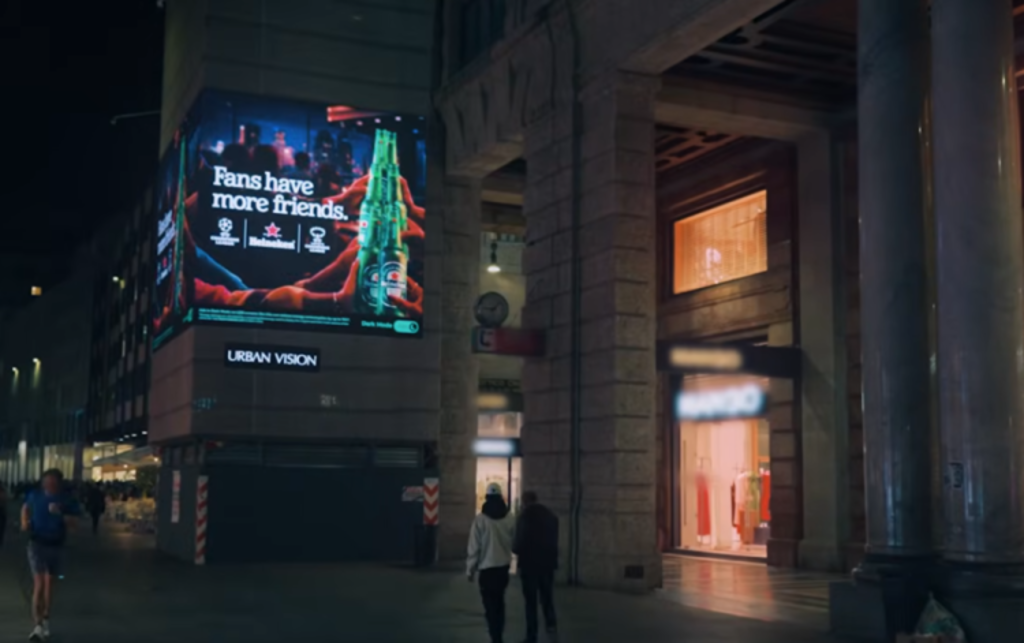
Before Dark Mode Ads is activated
Could technology similar to Dark Mode Ads work for indoor venues, for example on screens in universities, offices, airports, or retail? Absolutely it could says Erwan Cahoreau, director of sales and operations for integrator Hi Technologies. “Indoor LED is growing fast in corporate lobbies, auditoriums, retail, and transport hubs, and it follows exactly the same physics. Simply adapting the visual identity for screens by using darker backgrounds, light text, and accent colours used sparingly can significantly reduce consumption with no change to the hardware.
Indoor brightness is a great lever for energy savings. Indoor LED can often reach 600 to 1,000 nits, while a comfortable level in a typical office or lobby is often far lower, around 300 nits. Running a wall at the right level for its environment is the single biggest saving, and it also improves viewing comfort and image quality. Thanks to the evolution of LED controllers, it is now possible to combine light sensors to so that brightness can follow ambient light.”
Contenti agrees: “It has been tested on DOOH billboards and retail LED screens, but the principle behind the initiative applies to LED displays more broadly. Certimac showed that darker visual content can significantly reduce power consumption because LED screens require less energy to reproduce dark colours. Therefore, yes, similar benefits could potentially be achieved across indoor environments such as universities, offices, and airports.”
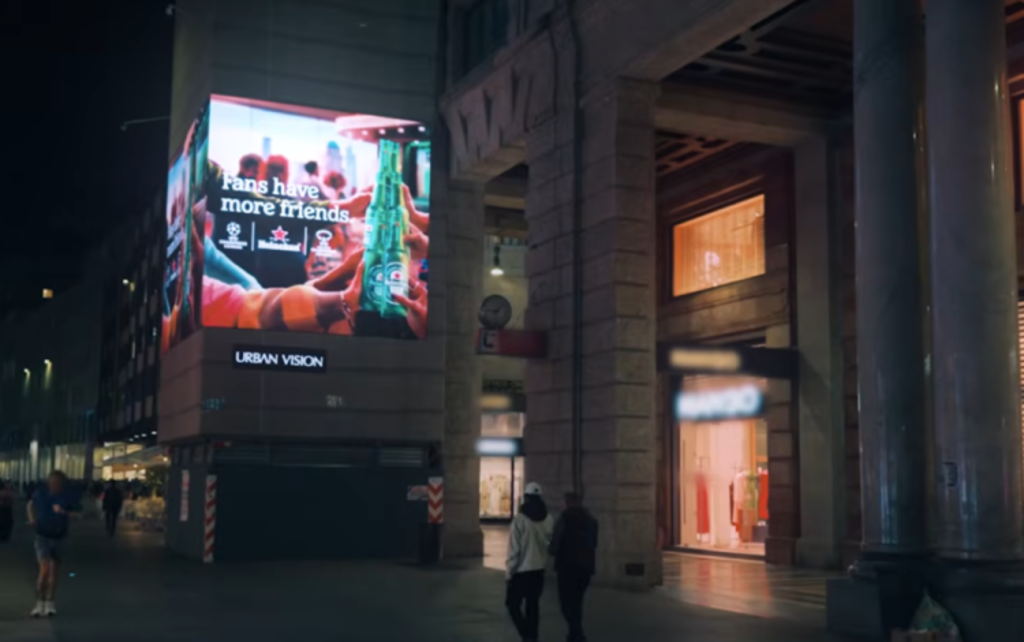
After Dark Mode Ads is activated
When we think of the AV industry as a whole, it installs thousands of indoor and outdoor screens every year, so we are part of the problem. Using Dark Mode Ads as inspiration, could the AV industry be making bigger savings in energy costs simply through better planning and smarter operation of the installed AV kit that’s out there?
As an integrator we see a significant opportunity says Charleine Henricy, BDM for Runtech. “A lot of focus goes into selecting the right display and processing hardware, but less attention is sometimes given to what that equipment does when the room isn’t actually being used. Occupancy sensors, scheduling, automatic standby, ambient light sensing, and centralised control can all help. Even relatively simple functions such as CEC control over HDMI, where supported, can allow connected displays to wake and sleep with the source equipment. The biggest opportunity is to consider these things during system design rather than trying to optimise energy consumption once the installation is already in place.”
Planning matters says Sebastian Szczesniak, global services director for integrator Pixel Global AV, but there are others factors we can employ to help right now. “One of the simplest wins is using smart PDUs, programmed through the control system to power equipment down in the correct sequence outside of operating hours. Most modern displays already support scheduling, auto-standby, and, in some cases, occupancy-based power management. However, these features are often left unconfigured or deliberately disabled because putting a display into standby can sometimes affect communication with the control system or prevent it from waking reliably for a meeting. Displays are also frequently left at factory brightness, which can be significantly higher than necessary for a typical office environment.”

Before Dark Mode Ads is activated
It’s vital the industry focuses on day-to-day intelligent use of AV that is already installed says Christopher Mullins, head of product marketing at Sony Professional Displays and Solutions. “However, in many organisations, there is a significant hurdle here, the team specifying and procuring AV equipment isn’t the same team paying the energy bill. Upfront price matters most to procurement, whereas facilities are concerned with the running cost. We frequently see that potential operational savings aren’t factored in from the outset. This is a real lost opportunity, as the technology is there but tends to be under-used.”
There is potential for this technology, and indoor environments could be particularly suitable says Henricy. “A display in a controlled office environment doesn’t necessarily need the same brightness as an outdoor digital billboard competing with direct sunlight. There is an opportunity to combine content optimisation, automatic brightness control and scheduling. The goal isn’t simply to make everything darker, it’s to avoid producing more light than the environment actually requires.” We have to consider that dark mode is most effective when the surrounding environment is dark says Matt Farago Edwards, principal consultant at Uncoded. “In a corporate setting, unless it is combined with circadian lighting or a strategy of reducing lighting levels in the evening, I am not convinced it would deliver meaningful savings, and dark content in a brightly lit space can also reduce legibility.”
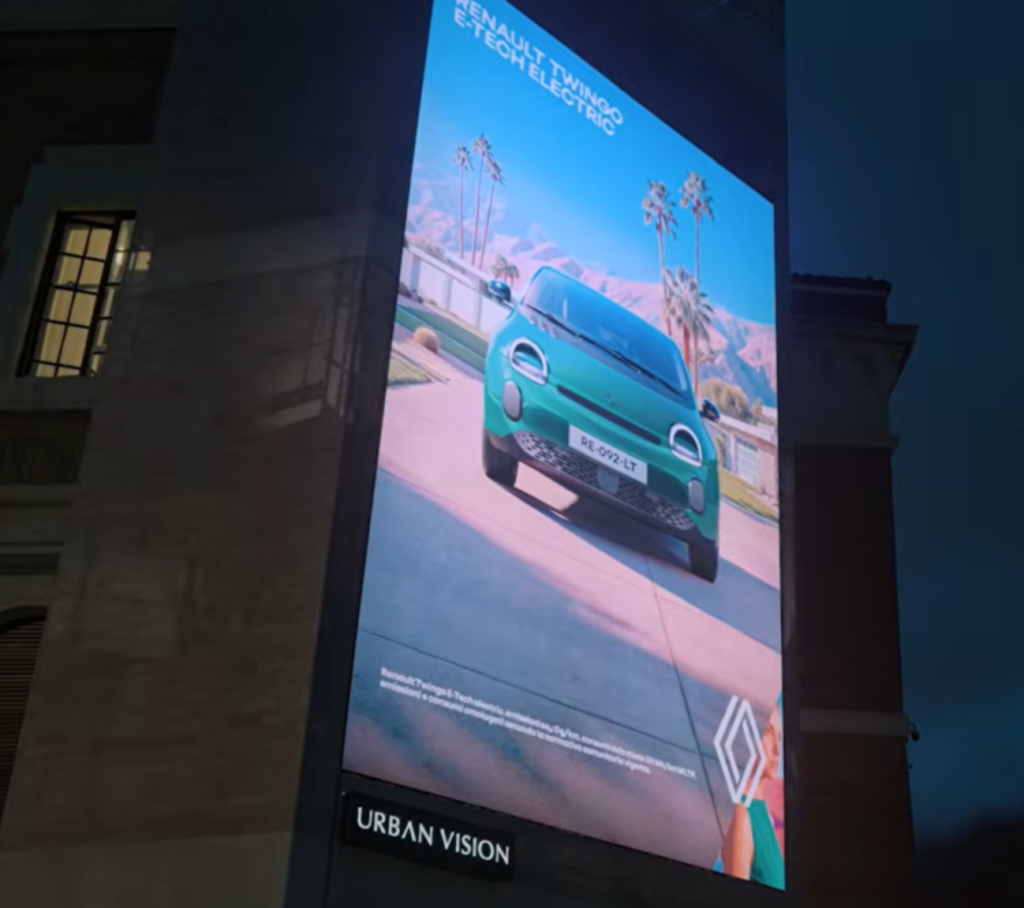
After Dark Mode Ads is activated
Is it the case then that lowbrightness or eco mode is becoming essential for those looking to reduce the power consumption and running costs of occupancy screens? Or, as Edwards suggests above, does reducing the brightness reduce its effectiveness? “Based on our experience with live installations, dark-mode content is a valuable tool, but its impact is limited to emissive LED and OLED screens, such as large-format walls in airports, retail spaces, and lobbies, where each pixel draws power individually,” says Mark Childerhouse, UK chief commercial officer for integrator Trison. “In contrast, LCD-backlit monitors and meeting room panels, which comprise most indoor installations, consume similar power regardless of content. For these, meaningful savings come from scheduling, occupancy sensing, and brightness control rather than content colour.”
The objective shouldn’t necessarily be aiming for the lowest brightness, it should be the appropriate brightness says Henricy. “An occupancy panel needs to remain clearly legible from the corridor, including under changing ambient light conditions. Reducing brightness too aggressively could actually make the system less effective. This is where technologies such as ambient light sensors and automatic brightness control can be useful. The display can adapt rather than operating permanently at one fixed brightness level.”
In practice, the choice of occupancy screens is often made by the meeting room platform itself says Cahoreau. “Many MTR packages use the same LCD touch panel inside the room as the controller and outside the door as the room booking panel. This gives a consistent look throughout the building, which matters a lot to architects and in large fit-out projects. In those cases, the LCD panel is almost given from the start, and the energy saving comes from configuring its eco mode and sleep settings properly.”
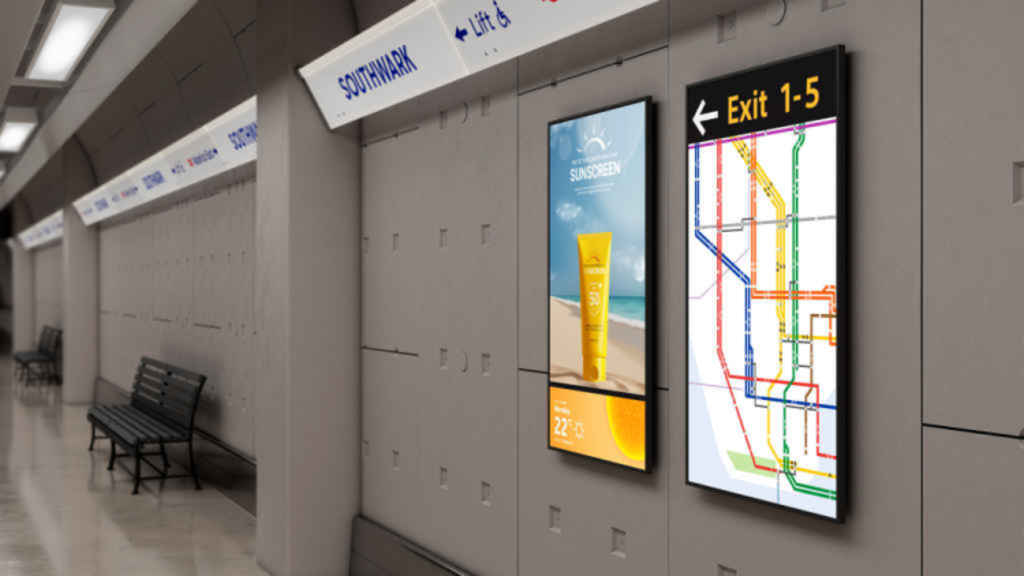
Image: Sony
In the end, it’s also the customer’s decision whether to use eco mode or a higher brightness explains Szczesniak. “Our role is to explain the options and the impact on energy use, so they can make an informed choice. The bigger question is whether you actually need an LCD screen in the first place. For simple room names, availability or booking information, e-paper can be a very interesting option because it uses very little power and mainly consumes energy when the image changes.”
Could replacing occupancy screens with e-paper be the best way to save energy then? The answer is often hardware rather than software says Till Gotterbarm, VP solution sales Europe business division, AUO Display Plus. “There are displays built for purpose, and that is where e-paper products, such as our AecoPost range, come in. E-paper completely eliminates the backlight, uses virtually zero power. In effect, it is dark mode without a backlight. Integrators need to set the right expectations with e-paper, its not for dynamic advertising or video content, it’s not a replacement for LCD. It replaces paper and should be seen as a separate display category in its own right. In a lot of cases, though, LCDs are installed simply because people do not know these options exist. Applying the technology best suited to each use case is where significant power reductions can be made.”
Could automation tools help reduce power consumption in displays? Should that be a part of every display install, to make sure they’re only on when spaces are occupied? Automation shouldn’t be treated as an add-on, it should be an integral part of any AV install says Sony’s Mullins. “The technology to ensure a display is only drawing power when it needs to, whether we are talking about occupancy-based control, scheduled power-down outside operating hours, or centralised remote management across an entire estate already exists and is mature. The real change needed is to make automation a standard requirement in every AV specification, in the same way acoustics or cable management would be a given. It’s not something that the customer should have to specifically request.”
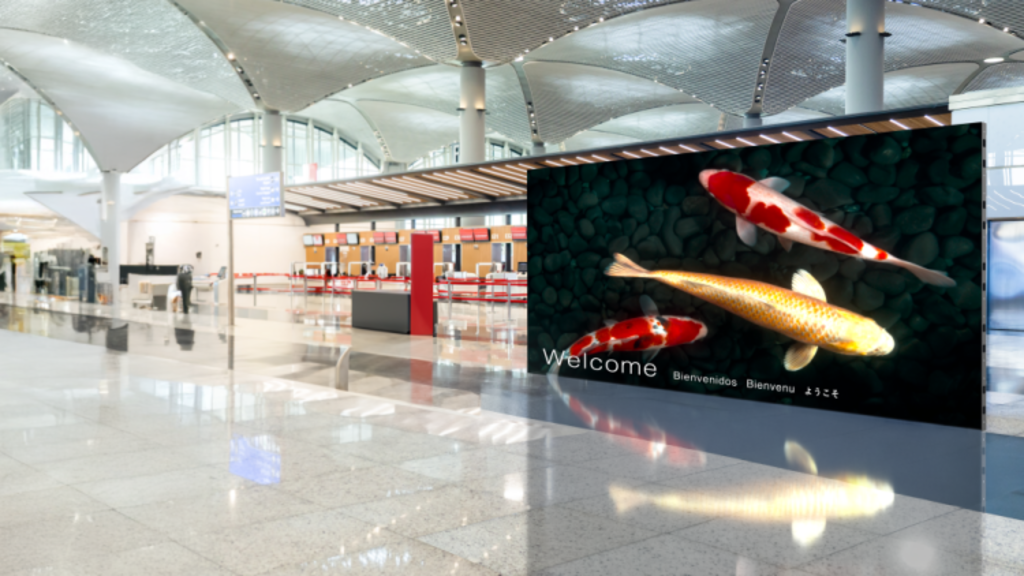
Image: Sony
Scheduling alone can reduce a venue’s annual lighting hours by about 25%, and a 24/7 display uses roughly three times more energy than one aligned with business hours explains Trison’s Childerhouse. “AVIXA’s S601.01 standard offers a recognised framework for energy management in AV systems, including automated control, power state scheduling, and ensuring systems are active only when necessary. This helps integrators and operators meet energy efficiency goals and provides a reference for further detail.”
Rather than relying on users to manage equipment manually, automation ensures displays operate only when needed, adds Rainer Stiehl, VP of marketing for Europe at Extron. “This not only reduces energy consumption but can also extend product life and reduce maintenance requirements. We believe automation should be considered in virtually every commercial AV installation, although the implementation may vary depending on the environment. In a large enterprise, university, or government facility, even small reductions in daily operating hours can translate into substantial energy savings when multiplied across hundreds or thousands of displays. Centralised AV management platforms are critical for supporting these efforts because they enable technical support teams to manage the entire system from a single platform. They can monitor device status, set and modify power schedules, verify device shutdown, and identify opportunities to improve efficiency. This can be managed across multiple buildings or campuses.”
Automation is probably the most powerful tool we have; it should be part of every pro-AV installation says Cahoreau. “Integrators need to choose the right control method (IP, RS-232, scheduled power relays for LED cabinets) so that ‘off’ really means off, while keeping the reliability the client expects when the system wakes up.”

Image: Sony
Does this really all come down to a case of better system design? Should we be thinking about power usage above other factors such as the aesthetics or the cost of a screen? Fundamentally, yes says Mullins, but it doesn’t have to be a battle between power usage, aesthetics, and cost he adds. “Energy and lifetime running costs need to be part of the initial conversations about the look and the price, rather than an afterthought once a display is already specified and installed.”
Power usage should certainly be an important design consideration, but it should not come at the expense of functionality, reliability, usability, or the goals of the space. Good system design is about balancing all of these requirements,” says Stiehl. “The best AV systems are designed holistically. Designers should consider energy consumption alongside factors such as room usage patterns, operational requirements, user experience, maintenance expectations, and total cost of ownership. Sustainability becomes most effective when it is integrated into the design process from the beginning rather than added as an afterthought.”
Pixel Global AV’s Szczesniak is another who thinks we shouldn’t put power usage above everything else. Instead, he advocates that “power usage should become one of the key criteria from the start, not an afterthought. That often means choosing the right size and brightness for the space rather than the biggest or brightest option and looking at total cost of ownership rather than just the purchase price. A cheaper display can end up costing more over its lifetime if it uses more energy.”
Final word goes to Runtech’s Charleine Henricy with a perfect summation of how the AV industry should be looking to handle sustainability going forward in future projects: “An AV system still needs to be visually appropriate, reliable, accessible, easy to use, and commercially viable. Good AV design isn’t just about what happens when the system is being used. It’s also about what happens when it isn’t.